

- Published on
From 147 Seconds to 3: How Gemma 4 Gets Fast Enough to Run on a Laptop
- Authors

- Name
- Tina Park
- @tinaparklive
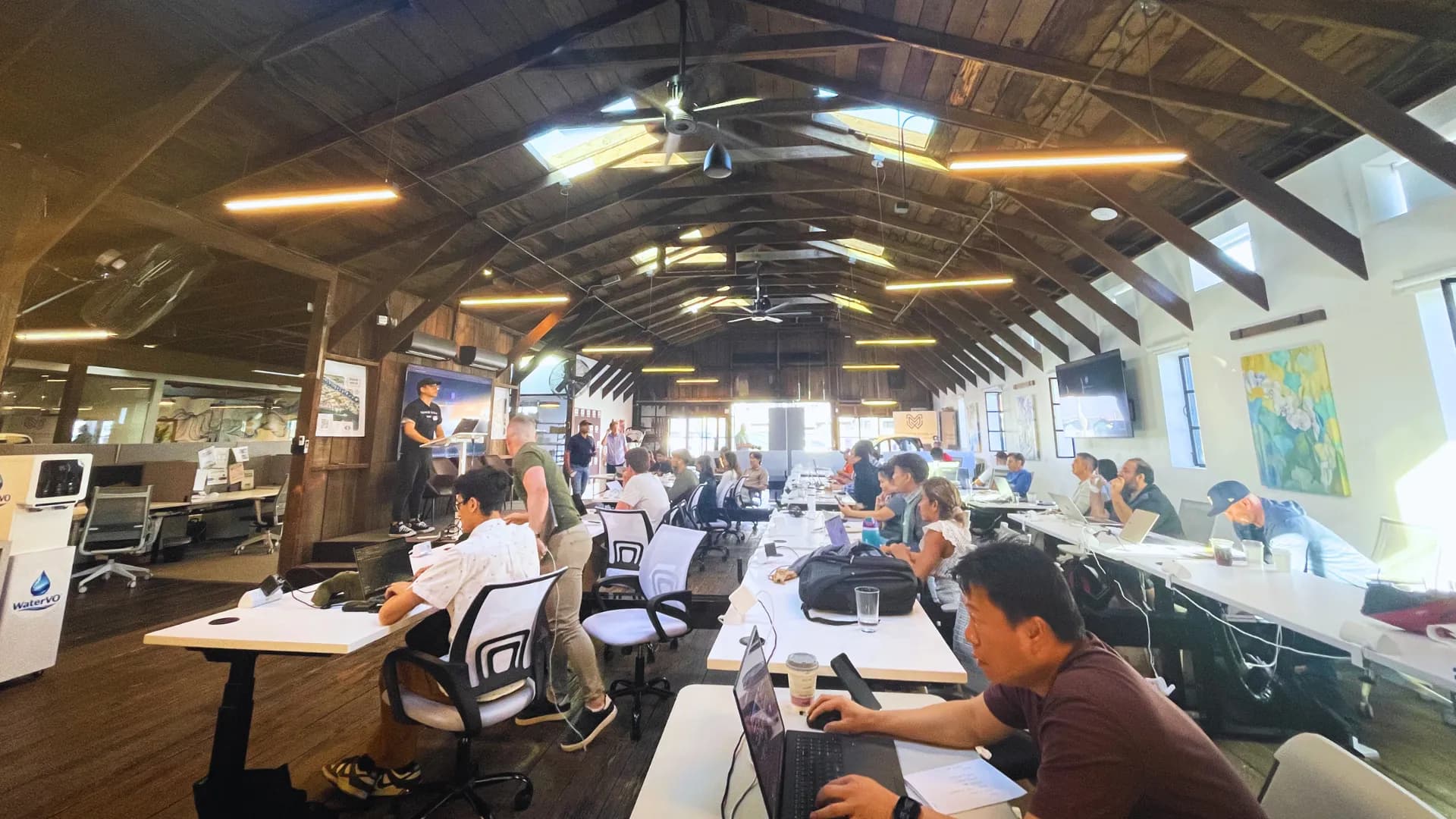
This past weekend GDG Newport Beach hosted Google I/O Extended Lab: Workshop & Hackathon — a full day mixing technical sessions with an afternoon-into-evening hackathon. My favorite session of the day was "Optimizing Gemma Models for Deployment on Vertex AI," given by Suvaditya Mukherjee, an ML Engineer at Magnopus LLC and a Google Developer Expert.
The premise was simple: take Google's open Gemma 4 model, run it with zero optimizations, time it, and then — one technique at a time — make it dramatically faster. The baseline benchmark took roughly 147 seconds. Depending on the optimization technique applied, latency dropped dramatically — in one demonstration, 6-bit GGUF quantization reduced generation time to around 3 seconds. All of this ran on nothing more exotic than a MacBook.
Here's what that looked like, conceptually, and why it matters even if you never write a line of code yourself.
Why this matters: you don't need a data center
The real argument of the talk wasn't "here's a new model." It was a mindset shift: for the last few years, "better AI" has mostly meant "bigger model, bigger GPU bill." This session made the case that smarter inference can buy you more speed than a bigger chip can.
That matters for a few concrete reasons:
- Cost — no API bills, no per-token charges, no rate limits.
- Privacy — your data never has to leave your machine.
- Portability — the same model can run on a laptop instead of requiring a server farm.
Gemma 4 makes that argument easy to act on: it's released by Google DeepMind under an Apache 2.0 license, meaning it's free to use commercially, with no royalties owed to Google — a real distinction from closed, API-gated models.
The setup: a 12-billion-parameter model on a single laptop
The session used Gemma 4 12B-it Unified — a unified, instruction-tuned model that understands both text and images — running locally on a MacBook with Apple Silicon, relying on the Mac's shared "unified memory" rather than a separate graphics card.
Everything used to run it was free and open: a standard machine learning framework for loading and running the model, a compressed-weights format for shrinking it down, and Apple's own machine learning framework for getting the most out of M-series chips. No cloud credits. No GPU rental. Just a laptop.
The baseline: about two and a half minutes
Before optimizing anything, the talk measured a plain, un-optimized run: generating a few hundred words of output took roughly 147 seconds — close to two and a half minutes just to produce a single response.
That number became the benchmark every technique was measured against.
Technique 1: Quantization — my personal favorite
My personal favorite technique from the whole session was GGUF quantization — the numbers make a strong case for why.
Models store their internal numbers ("weights") with a certain level of precision. By default, that precision is often higher than it strictly needs to be. Quantization reduces that precision — packing each number into fewer bits — which shrinks the model's memory footprint and lets it run dramatically faster, in exchange for a small, usually unnoticeable loss in output quality.
The format used in this case, GGUF, was created by Georgi Gerganov (the same person behind the popular llama.cpp project) and is built specifically for fast inference of compressed models on regular hardware.
A benchmark that initially took roughly 147 seconds completed in approximately 3 seconds using a 6-bit GGUF version of the model — the single largest speedup observed in the entire session.
Technique 2: KV Caching
Without caching, a model re-processes the entire conversation history every time it generates a new word — which is wildly redundant. KV caching stores the model's internal "memory" of what it's already processed, so each new step only has to account for the newest piece of text instead of redoing all the previous work.
This one change took the baseline from 147 seconds down to about 55 seconds.
Technique 3: Compiling the model
Modern machine learning frameworks can analyze a model's full set of calculations ahead of time and rewrite them into a more efficient form — fusing steps together and cutting out overhead, similar to how a compiler optimizes code before it runs. In the session, this was paired with feeding the model consistently-sized inputs, which let the optimization work even more effectively.
With no manual tuning, this combination brought the baseline down to about 21 seconds.
Technique 4: Paged Attention
Borrowed from techniques used in large-scale AI serving systems, paged attention manages the model's working memory in small, flexible "pages" instead of one large fixed block — similar to how an operating system manages virtual memory. This avoids wasted space and lets memory be reused intelligently as a conversation grows.
Worth noting: getting this technique working well with Gemma 4 specifically required some extra care in the notebook this talk was based on — it isn't necessarily a drop-in setting for every model. Combined with KV caching, though, the two techniques compound nicely, since they both target memory efficiency from different angles.
Technique 5: Speculative Decoding
One of the most fascinating concepts discussed was speculative decoding — and it's the only technique here that uses two models instead of one.
Generating text one word at a time is slow because a large model has to "think" for every single word. Speculative decoding speeds this up by adding a second, much smaller model that drafts several words at once, guessing what comes next.
The large model then checks those guesses all at once, accepting the ones it agrees with and only stopping to think from scratch the moment a guess is wrong. Checking a batch of guesses is far cheaper than generating each word individually — so the large model ends up doing a fraction of its usual work, while the final output is just as accurate as if the large model had written every word itself.
It's a clever trick: you get the speed of a small model with the judgment of a large one.
Running it on Apple Silicon
A meaningful part of the session focused on MLX, Apple's own machine learning framework — built specifically for M-series chips (M2, M3 Max, M4, and M5), as opposed to general-purpose frameworks built with other hardware in mind.
MLX comes in two flavors depending on what's being run: one for plain text-based language models, and a separate one for vision-capable models like the 12B Unified model used in this session, which can take an image as part of its input alongside text. Both are designed to take full advantage of how Apple Silicon shares memory between the CPU and GPU, rather than treating them as two separate pools.
Serving it like a real API
The last piece of the puzzle: once a model is optimized, how do you actually use it like a normal hosted service?
The session used a lightweight local server (bundled with the same framework used to load the model) that mimics a real cloud AI API closely enough that it worked with existing API-testing tools and clients without modification. In practice, that means tools built for a cloud AI service can often be pointed straight at your own laptop instead — no rewrite required.
Try it yourself
If you want to dig into the actual implementation details, the notebook behind this talk is public:
suvadityamuk/optimizing-gemma-4-for-inference
It profiles and benchmarks each of these techniques on Gemma 4 12B-it Unified, running on Apple Silicon — the exact setup this article is based on. I'd recommend it as the primary reference if you want to actually implement any of this, rather than relying on a secondhand summary like this one.
The takeaway
None of these five techniques required new hardware. Quantization, caching, compilation, paged attention, and speculative decoding are all software decisions, and each one produced a meaningful improvement on its own.
Going from roughly 147 seconds to around 3 seconds without upgrading hardware is a powerful reminder that software efficiency still matters.
Up next: what I actually built with all of this at the hackathon that followed.